 By Adrien Blanc
How to Stop Watching Reels and Shorts (Without Deleting Your Apps)
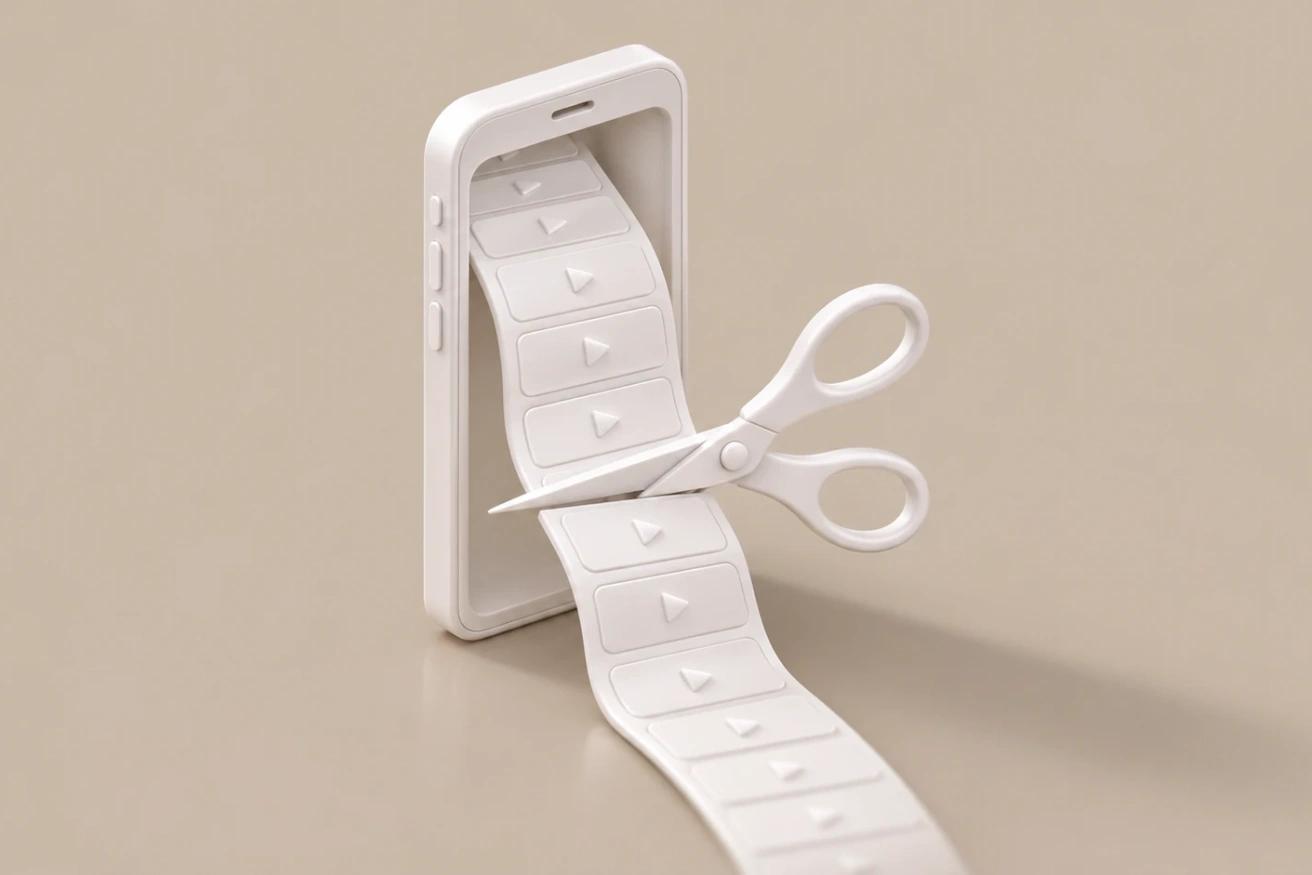
To stop watching Reels and Shorts, treat the scroll as a habit and take away its cue: hide the short-video feed, add a pause before the apps that still have one, and give the same moments of boredom something else to do. Willpower alone rarely works here, because you are asked to resist dozens of times a day, and the feed only has to win once.
The scale tells you this is not a personal failing. YouTube says Shorts now average more than 200 billion daily views, and Meta told investors in 2024 that Reels account for 50% of the time people spend on Instagram. You open Instagram to answer a message, or YouTube to find one tutorial, and forty minutes later you are still swiping.
200 billion
Daily views of YouTube Shorts, on average
You do not have to quit Instagram or YouTube to fix this. Your friends, your messages and the long videos you chose are not the problem. The endless feed of short videos is, and it can be removed or fenced off separately. This guide shows how, with six steps that come from habit research rather than from guilt.
Why Reels and Shorts Are So Hard to Stop Watching
Short-video feeds are hard to stop because they turn a decision into a reflex. Every habit has three parts: a cue, a routine and a reward. Reels, Shorts and TikTok make all three as easy as they can be.
- The cue is everywhere. A notification, a quiet minute in a queue, the Reels tab sitting between your feed and your messages.
- The routine costs nothing. One swipe of the thumb. No search, no choice, no loading.
- The reward is unpredictable. Most videos are forgettable and a few are great. Rewards that arrive at random are the ones the brain chases hardest.
There is also no stopping cue. An episode ends, a chapter ends, a long video ends. A short-video feed never does, so the only way out is to decide to leave, again and again, against a system built to keep you.
Platforms measure how quickly this becomes automatic. According to internal TikTok documents quoted in a lawsuit by Kentucky's attorney general and reviewed by NPR, the company put the threshold for forming a habit at 260 videos. With videos as short as 8 seconds, state investigators wrote, that can take under 35 minutes.
This is why advice like "just use your phone less" fails. The same pattern runs through every guide on how to break a bad habit: a habit that fires without a decision cannot be stopped by a decision alone. You have to change the cue, the routine or the reward.
What Short Videos Do to Your Attention
Heavy short-video use is linked to weaker attention and impulse control, though research has not shown that one causes the other. That nuance matters, because exaggerated claims make people feel doomed instead of capable.
The most complete picture so far is a 2025 meta-analysis in Psychological Bulletin that pooled 71 studies and 98,299 participants. Heavier short-video use went with poorer cognition overall. The strongest links were with attention and with inhibitory control, the ability to stop yourself from acting on an impulse.
Two caveats, both from coverage of the same analysis:
- Most of the studies measured people once. They cannot tell whether short videos erode attention or whether people who already struggle to focus watch more of them.
- How compulsively people watched mattered more than how long. Someone who watches twenty minutes on purpose is in a different position from someone who cannot stop.
That is good news for anyone trying to protect a deep work habit. The target is the automatic opening, and automatic behaviors respond well to the steps below.
How to Stop Watching Reels and Shorts: 6 Habit-Based Steps
Work on the cue first, then the routine, then the reward. Each step below takes a few minutes to set up. Do them in order: the first three remove most of the temptation, and the last three keep the change in place.
1. Find the Cue That Starts the Scroll
For three days, each time you catch yourself in a short-video feed, note two things: where you were and what you were feeling. Most people find two or three situations that explain almost all of it. Bed in the morning, the couch after dinner, the bathroom, the minute after a hard task.
Those moments are your targets. You do not need to fix your whole day, only what happens in them. If mornings are the weak point, a no-phone morning habit removes the cue before it can fire.
2. Hide the Feed and Keep the App
The most effective change is to make the feed disappear while everything else stays. A cue you cannot see does not trigger the habit. And because you keep your messages, your friends' posts and your subscriptions, there is nothing to miss and no reason to reinstall anything three days later.
This is the idea behind Nope, a free app we make that opens Instagram and YouTube with Reels and Shorts hidden. You use Instagram and YouTube inside Nope on your iPhone or iPad, and the Reels tab and the Shorts shelf are simply not there. It needs no account and has no subscription, and it also exists as an extension for desktop Chrome.
One honest limit: Nope filters what you open inside Nope. It does not change the native Instagram or YouTube apps, so move those off your home screen or delete them, and use the filtered version instead.
3. Add Friction Where You Cannot Hide the Feed
A short pause before an app opens is enough to break the reflex. In a six-week field experiment published in PNAS, an app that inserted a breathing pause and a "do you still want to open this?" prompt cut actual openings of the targeted apps by 57%. In 36% of attempts, people closed the app again once they had a second to think. One caveat: one of the authors built the app that was tested.
57%
Fewer app openings after six weeks with a short pause before each one
Ways to add that pause:
- Log out after each session. Typing a password is a ten-second stopping cue.
- Move the app off your home screen, into a folder on the last page.
- Use a pause tool. The iPhone Shortcuts app can show a prompt when an app opens, and Nope has a mindful pause built in.
- Switch to grayscale. In a 2024 study in Mobile Media & Communication, a gray screen cut daily screen time by about 20 minutes.
Time limits you can dismiss help less than you would hope. The same TikTok documents describe a test of a 60-minute daily prompt for teenagers: usage went from about 108.5 minutes a day to about 107. A limit works best as a backstop, not as the main plan.
4. Give the Cue a New Routine
The cue will still fire. Boredom after dinner does not go away because the feed did. Decide in advance what you will do instead, and make it as easy to start as a swipe.
- In bed: a book on the pillow. Five pages of a reading habit fill the same gap.
- In a queue or on the bus: a podcast, or nothing at all for two minutes.
- After a hard task: stand up, drink water, look out of a window.
- When you want to watch something: one long video you picked, on a bigger screen.
Write the plan as a sentence: "When I sit on the couch after dinner, I will pick up my book." That format comes from habit stacking, and it works because the choice is made before the craving arrives.
5. Decide What Each Visit Is For
Before you open Instagram or YouTube, finish this sentence: "I am opening this to ___, then I will close it." Reply to Sam. Check one account. Find the bike repair tutorial.
A stated purpose gives you the stopping cue the feed removed. When the task is done, the visit is over. If you notice you are still there, do not scold yourself. Close the app and take note of what pulled you in. It usually points to one more thing to hide.
6. Track the Days You Stay Out of the Feed
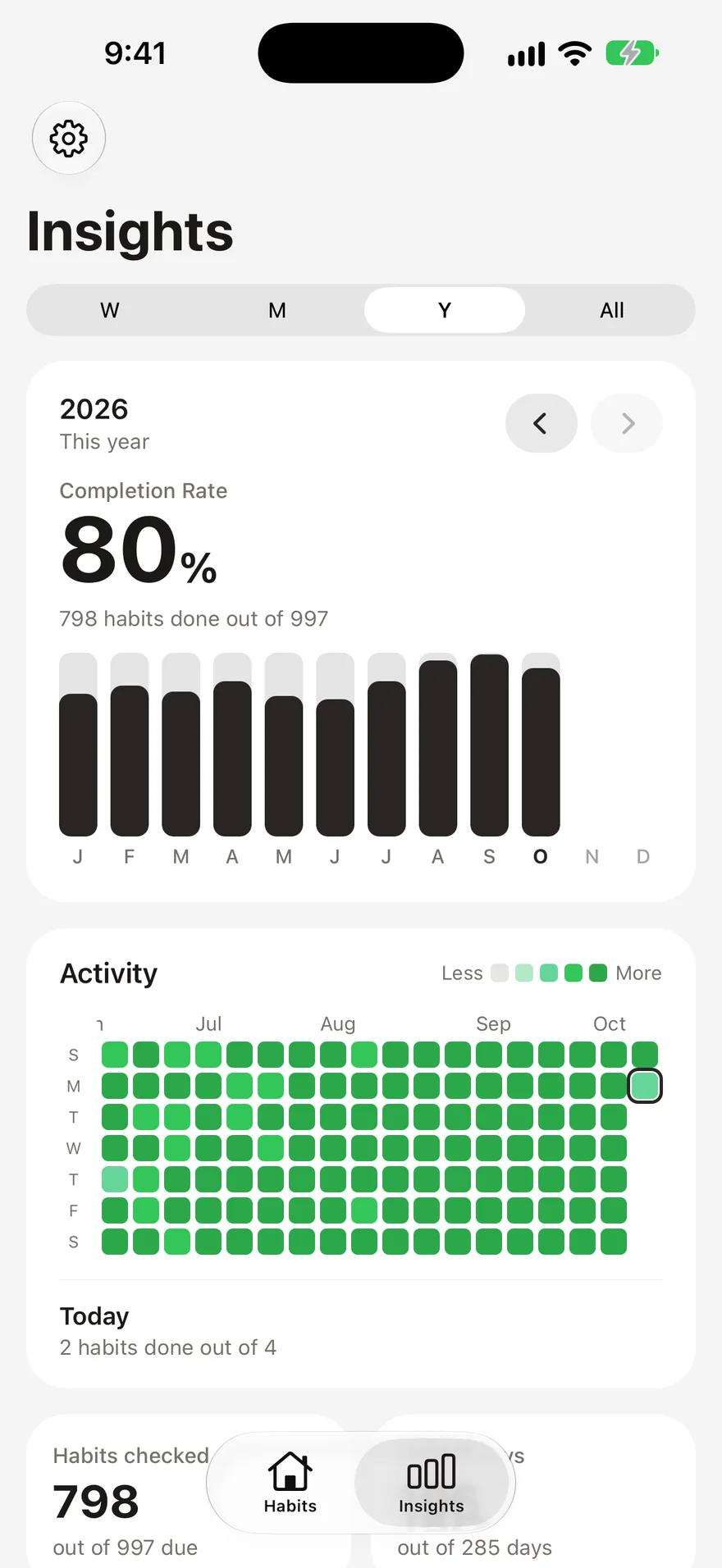
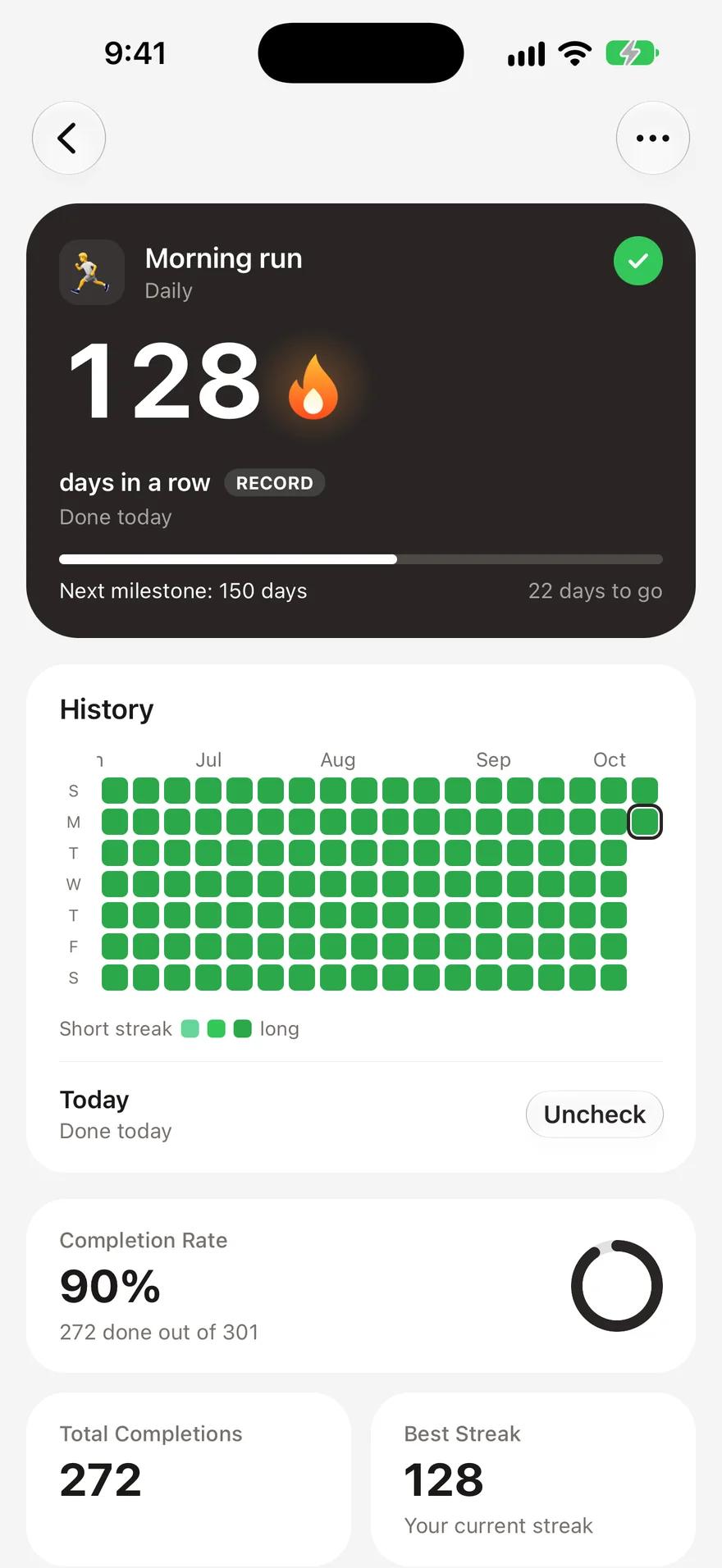
What gets tracked gets repeated. Create one habit with a clear rule, for example "No Reels or Shorts today" or "Short videos only after 8 pm", and check it off each evening.
The reason this works is covered in the psychology of streaks: a visible chain of days adds a small cost to breaking it, and that cost is often enough on a tired evening. Check your total screen time once a week, not daily. The streak is the thing you control.
How to Remove Reels and Shorts on Each App
No major platform lets you fully turn off short videos, so the settings below reduce them and a filter removes the rest. Menus change often, so treat the labels as a guide and check each app's help pages if yours looks different.
| App | Built-in control | What it does not do | To go further |
|---|---|---|---|
| Following and Favorites feeds, snoozing suggested posts for 30 days | The Reels tab and Reels in Explore stay | Open Instagram inside a filter that blocks Reels | |
| YouTube | Settings, Time management, Shorts feed limit (can be set to zero), plus Show fewer Shorts | The reminder can be dismissed, and Shorts still appear in search and on channels | Open YouTube inside a filter that hides Shorts |
| TikTok | Daily screen time limit in the app's settings | The whole app is the feed, so there is nothing to keep | Delete the app, or set an iPhone Screen Time limit with a code someone else holds |
Instagram. There is no switch for Reels. You can browse a Following or Favorites feed, which shows only accounts you chose, and snooze suggested posts. For a full removal on iPhone and iPad, Nope's guide explains how to hide Instagram Reels, including a mode that opens Instagram on your messages only.
YouTube. In October 2025, YouTube added a daily limit for the Shorts feed, and the pop-up that enforces it can be dismissed. If you want Shorts gone from Home, search and channel pages on iPhone, iPad or desktop Chrome, follow the steps to hide YouTube Shorts.
TikTok. Here the feed is the product. If TikTok is where your time goes, a limit you can tap through will not hold. Deleting the app for 30 days is the cleanest test of whether you miss it.
For the wider picture beyond short videos, see our guide on how to reduce screen time.
What to Do When You Slip
One evening lost to Shorts does not undo your progress. Two in a row starts a new habit. So the rule is simple: never miss twice.
When it happens, look for the cue, not for a character flaw. A new entry point you had not hidden? A stressful day with no replacement ready? Adjust that one thing and carry on. If you were counting days, read what to do when you break a streak before you decide the count is ruined.
Expect the first week to feel flat. The feed was filling a lot of small gaps, and for a few days those gaps are just quiet. That is the stage where most people go back. It passes, and what replaces it is longer attention for the things you chose.
A Two-Week Plan to Quit Short Videos
Spread the six steps over two weeks so that each change has time to settle.
- Days 1 to 3: note your cues. Change nothing else yet.
- Day 4: hide the feeds. Set up a filter for Instagram and YouTube, set the Shorts feed limit, move or delete the native apps.
- Day 5: add friction to whatever is left, and log out of TikTok.
- Days 6 to 7: put your replacements where the cues happen. Book on the pillow, podcast downloaded.
- Week 2: state a purpose before each visit, and check off your no-short-videos habit every evening.
After that, keep the habit in your tracker for at least two months. A phone that no longer pulls you into a feed makes every other part of daily routines that actually work easier, from mornings to the hour before bed.
Frequently Asked Questions
How do I stop watching Reels without deleting Instagram?▼
Remove the Reels feed instead of the whole app. Instagram has no setting that turns Reels off, so you need a filtered way in: on iPhone and iPad, Nope opens Instagram with Reels blocked while your feed and messages stay; on a computer, a browser extension does the same. Then decide what the trip is for before you open it, such as replying to one person.
Can you turn off YouTube Shorts?▼
Partly. In the YouTube mobile app, go to Settings, then Time management, then Shorts feed limit, and choose a daily limit, which can be zero. When you reach it, YouTube shows a reminder that you can dismiss. You can also choose Show fewer Shorts on a Shorts shelf in Home. Neither removes every Shorts entry point, which is why some people use a filter such as Nope or a browser extension.
Why are Reels and Shorts so addictive?▼
Three things combine: each swipe may or may not pay off, which is the same unpredictable reward that keeps people at slot machines; a video costs almost no effort to start; and the feed never ends, so nothing tells you to stop. Repeated often enough in the same situations, opening the feed becomes an automatic habit rather than a decision.
How long does it take to break a short-video habit?▼
Expect the first week to be the hardest and the urge to fade over several weeks. Research on habit formation puts the average at about two months for a new behavior to feel automatic, with wide variation between people. Removing the feed from view shortens the fight, because you no longer have to resist it dozens of times a day.
Do short videos really damage your attention span?▼
The evidence shows a link, not proof of cause. A 2025 meta-analysis of 71 studies found that heavier short-video use goes with poorer attention and weaker impulse control, but most of those studies measured people at one point in time. Compulsive use was more strongly linked to problems than the number of hours watched.
- 1.Neal Mohan at Cannes Lions 2025: YouTube Shorts average over 200 billion daily viewsblog.youtube
- 2.Meta reports record Q1 revenue: Reels account for 50% of time spent on Instagramadexchanger.com
- 3.TikTok executives know about app's effect on teens, lawsuit documents allegenpr.org
- 4.Feeds, Feelings, and Focus: A Systematic Review and Meta-Analysis of Short-Form Video Use (Psychological Bulletin, 2025)doi.org
- 5.Large meta-analysis links TikTok and Instagram Reels to poorer cognitive and mental healthpsypost.org
- 6.Directing smartphone use through the self-nudge app one sec (PNAS, 2023)pmc.ncbi.nlm.nih.gov
- 7.YouTube adds a timer for you to stop scrolling Shortstechcrunch.com
- 8.Is life brighter when your phone is not? The efficacy of a grayscale smartphone intervention (Mobile Media & Communication, 2024)journals.sagepub.com
 Habit Streak