 By Adrien Blanc
Getting Started With Habit Streak: The Complete Tutorial
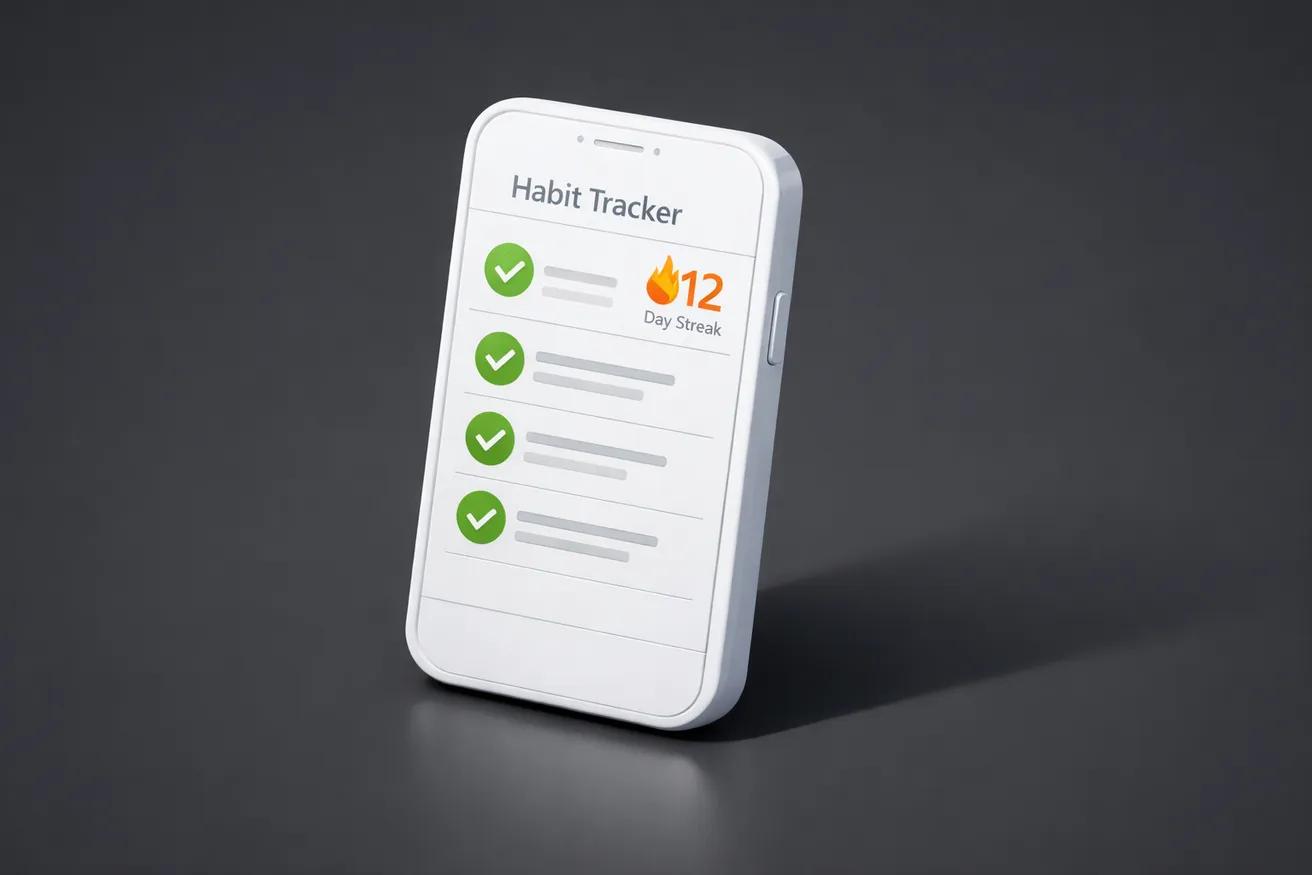
Habit Streak is a mobile habit tracker app designed to help you build positive routines through daily tracking, streaks, and smart reminders. If you've downloaded the app — or you're considering it — this guide walks you through everything from your first launch to advanced features like widgets and insights. Research shows that people who monitor their progress are significantly more likely to reach their goals, and a well-configured habit tracker is one of the simplest ways to start. Over 55% of habit tracker users say streak tracking and reminders are the features they rely on most — and Habit Streak is built around both.
Whether you're building your first habit or managing a full daily routine, this tutorial will help you set up a system that sticks. No guesswork, no overwhelm — just a clear path from download to daily consistency.
55%
of habit tracker users rely on streaks and reminders daily
Download and First Launch
Habit Streak is available on both iOS and Android, and setup takes under two minutes. Download it from the App Store or Google Play, open the app, and you're ready to go. There's no account creation required to start — your data stays on your device from day one.
On first launch, you'll see a clean, empty dashboard. This is your daily view — the screen you'll return to every day. It's intentionally minimal: no clutter, no lengthy onboarding flow. The philosophy is simple — get you tracking as fast as possible.
Here's what to do right after installing:
- Open the app and explore the main screen. This is where all your habits will live.
- Tap the "+" button to create your first habit.
- Choose a name, icon, and color to make the habit easy to recognize at a glance.
The free version supports up to 5 habits, which is more than enough to start. Research consistently suggests that tracking 3 to 5 habits at once is the sweet spot — enough to feel productive, few enough to sustain.
Creating Your First Habits
The most important step in setting up Habit Streak is choosing habits that are specific, binary, and meaningful to you. A vague goal like "be healthier" can't be tracked. A clear habit like "drink 8 glasses of water" can.
What Makes a Good Tracked Habit
Every habit you add should pass a simple test: can you answer "Did I do this today?" with a definitive yes or no? If the answer requires nuance, the habit is too vague.
Good tracked habits share these traits:
- Specific and measurable. "Meditate for 5 minutes" beats "meditate more."
- Daily or near-daily. Research from University College London found that daily repetition is key to building automaticity, which takes an average of 66 days.
- Within your control. Track behaviors, not outcomes. "Go for a 20-minute walk" is a behavior. "Lose weight" is an outcome.
How to Add a Habit in the App
- Tap the "+" button on your main dashboard.
- Enter a habit name — keep it short and action-oriented (e.g., "Read 15 min," "No sugar," "Stretch").
- Pick an icon and color. This isn't just cosmetic — visual differentiation helps your brain process the list faster.
- Set the frequency. Daily is the default and works best for most habits. You can also set specific days of the week for habits like "Gym: Mon/Wed/Fri."
- Tap Save.
Starter Habit Ideas
Not sure where to begin? Here are popular habits that Habit Streak users track:
- Morning: Meditate, make bed, no phone for 30 minutes
- Health: Drink 8 glasses of water, 10,000 steps, take vitamins
- Evening: Journal, read for 15 minutes, screen off by 10 PM
- Productivity: Deep work session, inbox zero, daily review
For a more complete list with tips on each, see our guide on the best habits to start tracking.
Download Habit Streak and create your first habit in under a minute
Download Free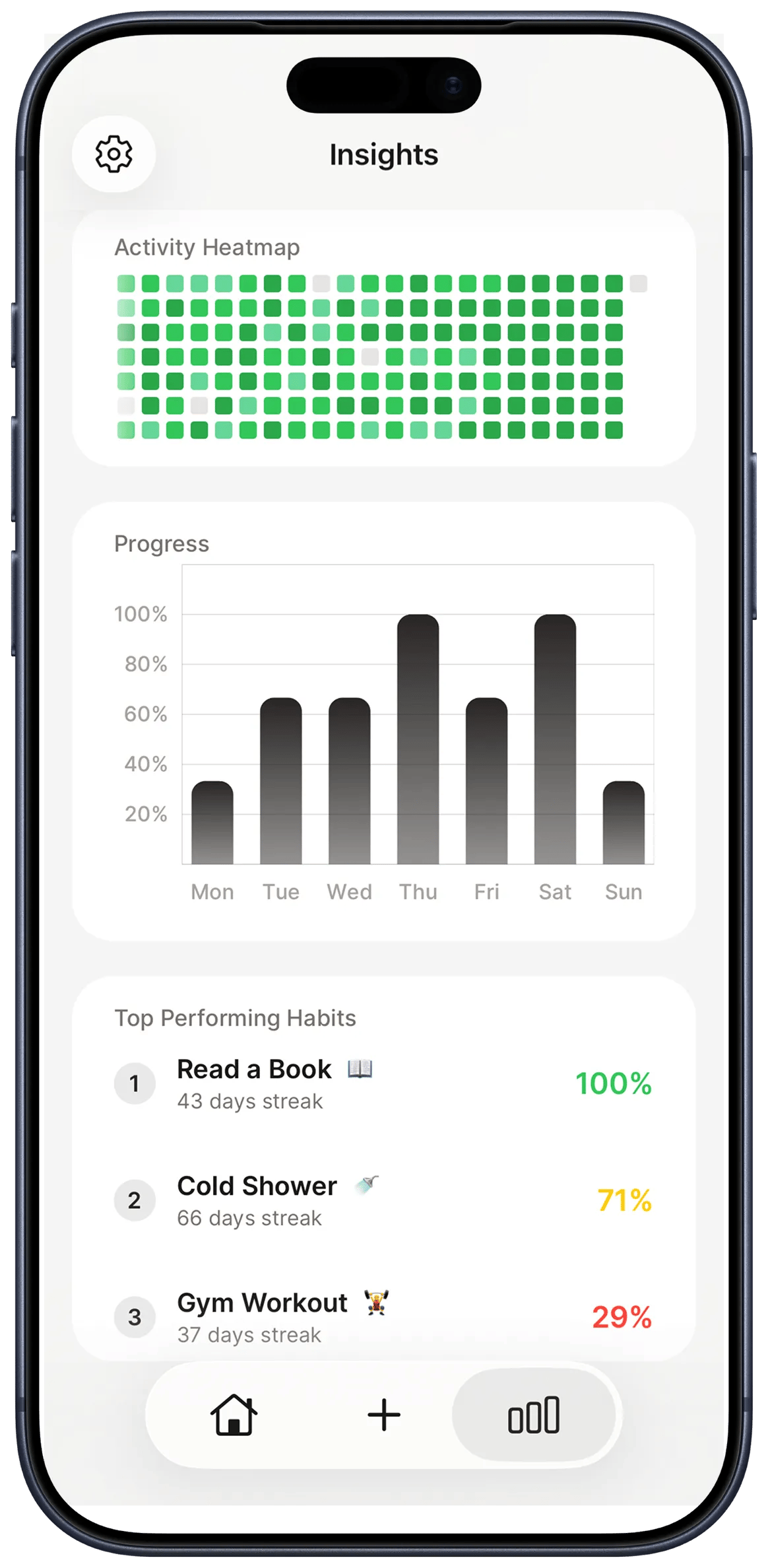
Understanding Streaks and Why They Work
A streak is a count of consecutive days you've completed a habit. It's the core mechanic of Habit Streak, and it's backed by well-documented psychology. Each day you check off a habit, your streak grows by one. Miss a day, and it resets to zero.
The Psychology Behind Streaks
Streaks tap into two powerful psychological forces:
- Loss aversion. Behavioral economists Daniel Kahneman and Amos Tversky showed that people feel losses roughly twice as strongly as equivalent gains. A 30-day streak feels too valuable to break. That emotional weight becomes a motivational force — especially on days when discipline is low.
- Dopamine reinforcement. Every checkmark triggers a small dopamine release in the brain's reward system. Over time, the act of completing and recording a habit becomes its own reward, strengthening the habit loop of cue, routine, and reward.
Research in Psychological Science shows that visual progress cues — like streak counters and filled grids — enhance intrinsic motivation and encourage goal persistence. Habit Streak uses this principle throughout the app with streak counters, activity heatmaps, and completion animations.
How Streaks Appear in the App
Your streak count is visible on each habit card on the main dashboard. You'll also see:
- A streak counter next to each habit name, updating in real time.
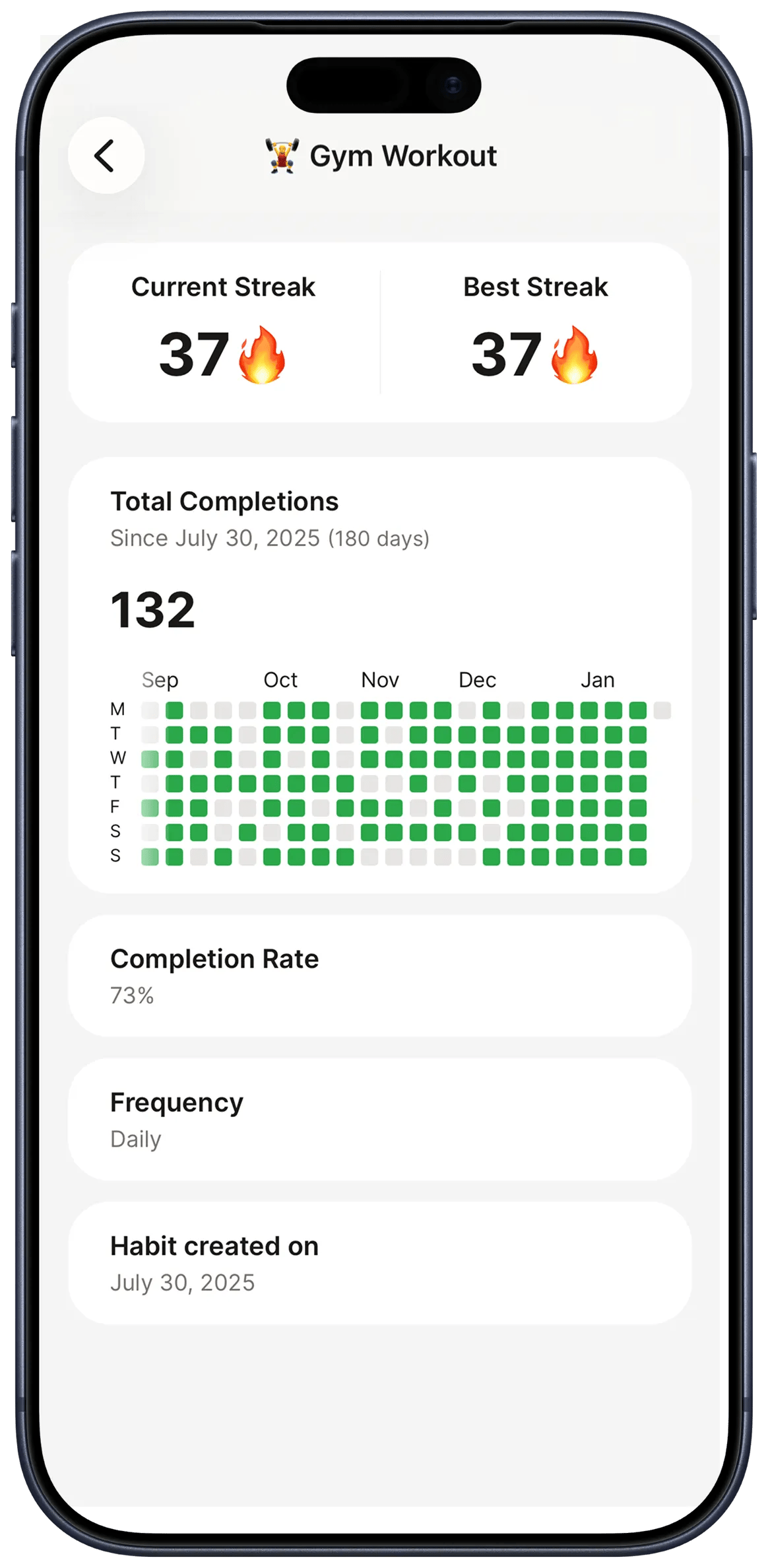
- An activity heatmap (in the habit detail view) showing your completion pattern over weeks and months.
- A "current streak" and "best streak" stat, so you always know your personal record.
When a Streak Breaks
Missing a day resets the streak counter, but it doesn't erase your history. Habit Streak preserves your entire completion record, so you can always see your overall consistency rate and your best streak.
The key mindset: a broken streak isn't a failure — it's a data point. Phillippa Lally's landmark habit formation study found that missing a single day did not materially affect habit formation. What matters is getting back on track the next day. Apply the "never miss twice" rule: one off day is a rest, two off days is a new pattern.
For more on the science behind this, read the psychology of streaks: why counting days works and what to do when you break a streak.
2x
stronger emotional response to losses vs. gains
Setting Up Smart Reminders
Smart reminders are the difference between tracking consistently and forgetting by Wednesday. Memory alone is unreliable, and willpower fluctuates. A well-timed notification acts as a cue that triggers the habit behavior.
How to Configure Reminders
- Open a habit and tap Settings (or the gear icon).
- Enable Reminders and set a time.
- Choose the days of the week when you want to be reminded.
- Optionally, customize the notification text — a personal message like "Time for your 5-minute meditation" can feel more motivating than a generic prompt.
Best Practices for Reminders
Not all reminders are equal. Research from the University of Bath shows that event-based cues lead to stronger habit formation than time-based ones. Here's how to set reminders that work:
- Time them right. Set reminders 5-10 minutes before you want to do the habit, not during. A 6:55 AM reminder for a 7 AM meditation gives you time to transition.
- Pair with existing routines. "After morning coffee" is a stronger cue than "at 8:30 AM." Use reminder times that align with habits you already have — this is the principle behind habit stacking.
- Avoid notification overload. If you're tracking 5 habits, you don't need 5 separate reminders. Group habits that happen at similar times and set one reminder for the batch.
- Plan to phase them out. Reminders are training wheels. Once a habit feels automatic (typically after 60-90 days of consistency), try turning off the reminder. If the habit holds, the reminder did its job.
Using Home Screen Widgets
Home screen widgets keep your habits visible without opening the app — and visibility is one of the strongest drivers of habit consistency. Every time you unlock your phone, your habits are right there. No extra taps, no chance to forget.
Available Widgets
Habit Streak offers several widget options:
- Daily checklist widget. Shows today's habits with checkboxes. You can mark habits complete directly from your home screen — one tap, done.
- Streak counter widget. Displays your current streak for a single habit. Great for your most important habit.
- Progress widget. Shows your overall completion rate for the day (e.g., "3 of 5 done").
How to Add a Widget
On iOS:
- Long-press on your home screen until the icons jiggle.
- Tap the "+" button in the top-left corner.
- Search for "Habit Streak" in the widget gallery.
- Choose your widget size and style.
- Tap Add Widget and position it where you'll see it most.
On Android:
- Long-press on your home screen.
- Tap Widgets.
- Find Habit Streak in the list.
- Drag your preferred widget to the home screen.
Why Widgets Matter
Research shows that over 55% of daily habit tracker users rely on visual cues like streaks and reminders. A widget turns your phone's home screen into a passive accountability system. You don't need to remember to open the app — the widget reminds you just by being there.
The interactive daily checklist widget is especially powerful. Tapping a checkbox from the home screen takes less than a second. That minimal friction is critical — the easier it is to record, the more consistently you'll do it.
For a deeper look at widget strategies, see our complete guide to habit tracker widgets.
Tracking Your Progress With Insights
Habit Streak's insights dashboard turns your raw check-ins into actionable patterns. Tracking isn't just about recording — it's about learning from the data. The insights screen shows you what's working, what's struggling, and where to adjust.
Key Metrics You'll See
- Completion rate. The percentage of days you completed each habit over a given period. Aim for 80%+ — research suggests that maintaining a habit 80% of the time produces nearly identical long-term results to 100% adherence.
- Current streak and best streak. Your ongoing streak count and your all-time record for each habit.
- Activity heatmap. A calendar-style grid showing which days you completed each habit. Dense clusters mean consistency. Gaps show where you fell off. It's the same visual pattern popularized by GitHub contribution graphs — at a glance, you can see months of behavior.
- Weekly and monthly trends. Charts showing whether your consistency is improving, plateauing, or declining over time.
How to Use Your Data
A weekly review is the most valuable habit you can build around your tracker. Every week, spend 5 minutes looking at your insights:
- Which habits have high completion rates? These are your strong habits. Consider whether they still need active tracking or if they've become automatic.
- Which habits are below 50%? These need adjustment. Make the habit smaller, change the time, or rethink the cue.
- Are weekends different from weekdays? Many people see consistency drop on weekends. If that's you, consider setting different weekend routines or adjusting expectations.
- Is your overall trend improving? Don't focus on individual days. Look at the trajectory over weeks and months.
Premium Features: Streak Plus+
The free version of Habit Streak covers everything you need to start. You get up to 5 habits, streaks, reminders, widgets, and basic insights. For most beginners, this is plenty — and the app is designed to be fully functional without paying.
What Streak Plus+ Adds
If you outgrow 5 habits or want deeper analytics, Streak Plus+ removes all limits:
- Unlimited habits. Track as many habits as you need. This is especially useful once your initial habits become automatic and you're ready to add more.
- Advanced insights. Deeper analytics including long-term trend analysis, habit correlations, and exportable data.
- Extended heatmaps. View your activity history over longer time periods.
- Priority support. Direct access to the developer for questions and feature requests.
When to Upgrade
There's no rush. Start with the free tier and track 3-5 habits until they feel natural. If you find yourself wanting to add a 6th habit or wanting more detailed analytics, that's the right time to consider Streak Plus+.
Tips for Long-Term Success
The biggest challenge with habit tracking isn't starting — it's continuing after the first few weeks. Here are strategies that keep Habit Streak users consistent over months, not just days.
1. Start With One Keystone Habit
Don't try to overhaul your entire life at once. Pick one habit that has a ripple effect on others. Exercise often improves sleep, diet, and mood. Morning routines set the tone for the entire day. Start with one, build momentum, then expand.
2. Use the "Never Miss Twice" Rule
You will miss days. It's inevitable. The rule is simple: never miss the same habit two days in a row. One missed day is a rest. Two missed days is the start of a new pattern. Habit Streak's streak counter makes this visceral — you can see exactly when to course-correct.
3. Review Weekly, Not Daily
Daily check-ins are for recording. Weekly reviews are for thinking. Every week, open your insights, look at your completion rates, and ask: "What needs to change?" This weekly review habit is what separates people who track for a month from those who track for a year.
4. Evolve Your Habit List
Your tracker should change as you do. Once a habit is fully automatic — you do it without thinking and without needing the tracker — retire it and add a new one. Keeping stale habits on your list reduces the tracker's signal-to-noise ratio.
5. Celebrate Small Wins
Don't wait for day 100 to feel proud. Each day you check off a habit is evidence that you're becoming the person you want to be. Notice it. A study from Dominican University found that people who wrote down goals and tracked progress were 33% more likely to achieve them.
Start building better habits with Habit Streak today
Download FreeFrequently Asked Questions
Is Habit Streak free to use?▼
Yes. The free version includes up to 5 habits, streak tracking, reminders, home screen widgets, and basic insights. Streak Plus+ is an optional premium upgrade for unlimited habits and advanced analytics.
How many habits should I start with?▼
Start with 3 habits. Research shows that tracking too many habits at once leads to overwhelm. Add more only once your current habits feel automatic — typically after 4-8 weeks of consistent tracking.
What happens if I miss a day and break my streak?▼
Your streak counter resets, but your full history is preserved. Missing one day doesn't derail habit formation — research confirms this. Apply the 'never miss twice' rule and get back on track the next day.
Can I use Habit Streak on both iPhone and Android?▼
Yes. Habit Streak is available on both iOS (App Store) and Android (Google Play). Your data syncs across devices if you enable cloud backup.
Do I need to pay to use widgets and reminders?▼
No. Widgets and reminders are included in the free version. These are core features, not premium add-ons.
- 1.Does monitoring goal progress promote goal attainment? A meta-analysis of the experimental evidencepubmed.ncbi.nlm.nih.gov
- 2.Habit Tracking Apps Market Sizebusinessresearchinsights.com
- 3.Research from University College Londononlinelibrary.wiley.com
- 4.people feel losses roughly twice as strongly as equivalent gainsscience.org
- 5.event-based cues lead to stronger habit formationresearchgate.net
- 6.Habit trackers: does tracking your habits actually work?nesslabs.com
- 7.The Impact of Commitment, Accountability, and Written Goals on Goal Achievementscholar.dominican.edu